

What you see, in order
1. The console
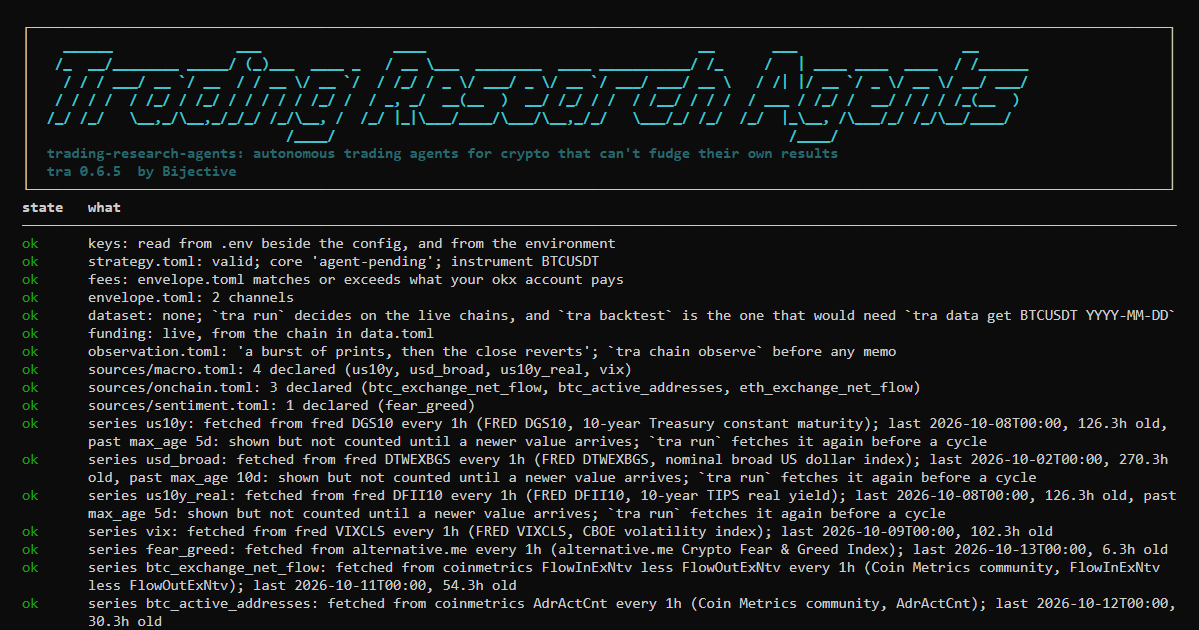
Run tra inside your desk and it opens the console: what is ready, what isn't, and the next command to run. Under it is a prompt that takes every command and draws it right there. Arrow keys go back through what you typed, tab completes, help lists the commands and exit leaves. For scripts and cron, tra -c "run --now" runs one command and exits.
2. The pass over your instruments
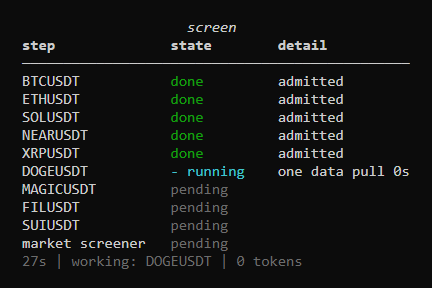
Type run --every 15m and the desk first refreshes any data series that are due, one line each. Then it looks at every instrument on your list, one data pull apiece, and measures it. The screen steps through them live:
3. One cycle per instrument it takes
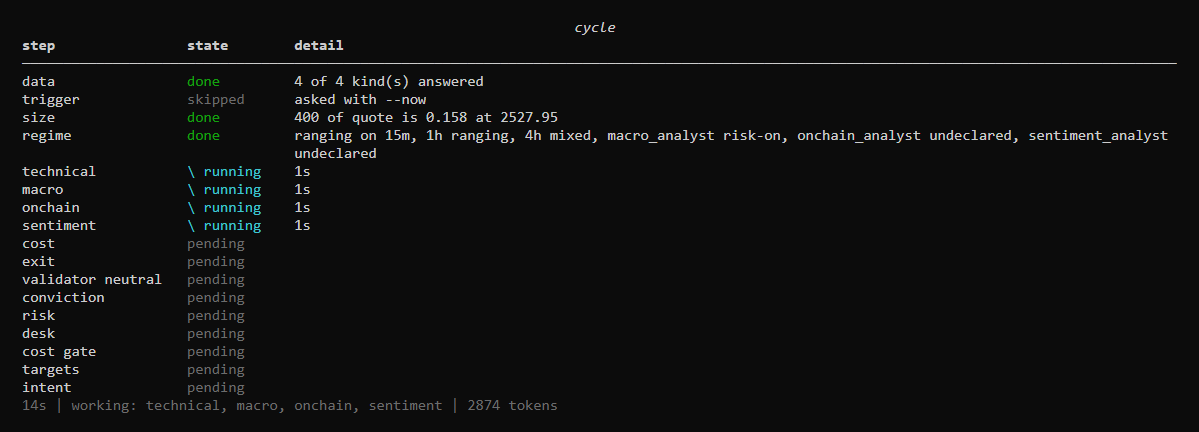
The system found the candidates and measured them; the screener chose among them and cited each instrument's own figures; the system's own order is kept beside the choice. The instruments taken get a full cycle. The terminal shows the whole pipeline from the start and updates it as each step begins and ends. Steps that run at the same time spin at the same time, each with its own clock, and the line underneath says who is working right now:
4. The result
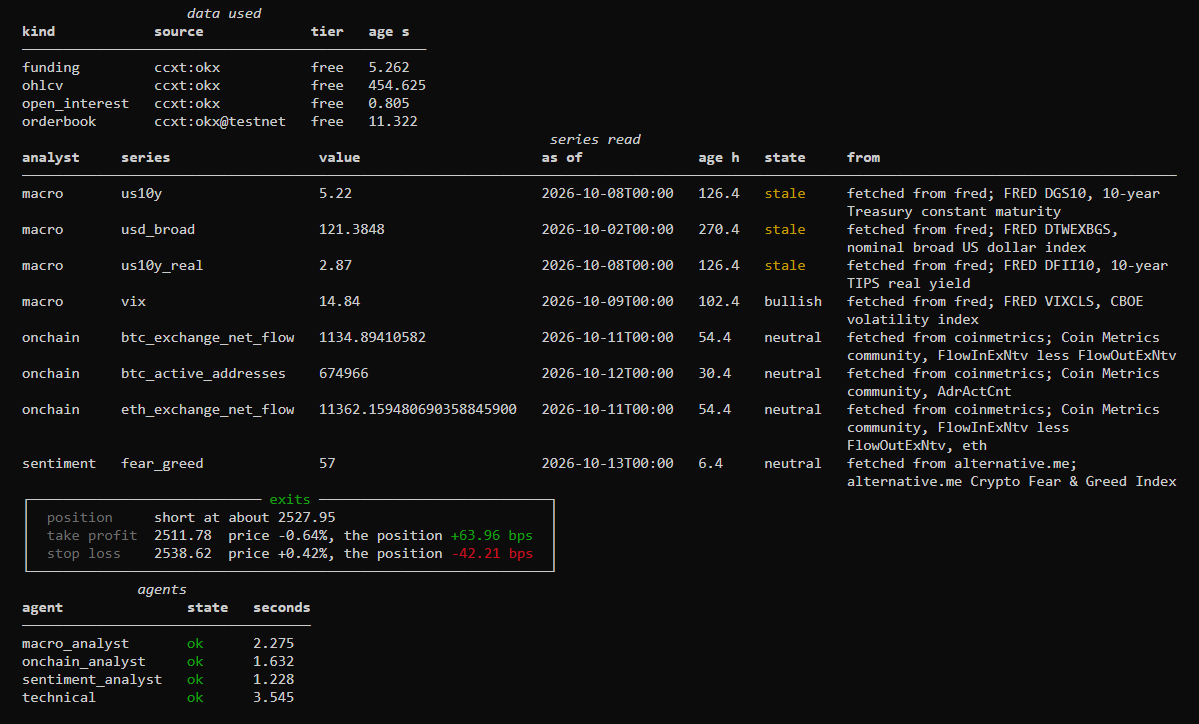
When the cycle finishes, the table gives way to the pass over the universe: what the screener took, what waited and what was held, and why. Then the cycle itself: what the analyst proposed and from which figures, and every refusal with the number behind it. Here an ETH short in a ranging market stopped at its exits: with its own stop and target and the round trip, more than half of trades like it would have had to win just to break even:
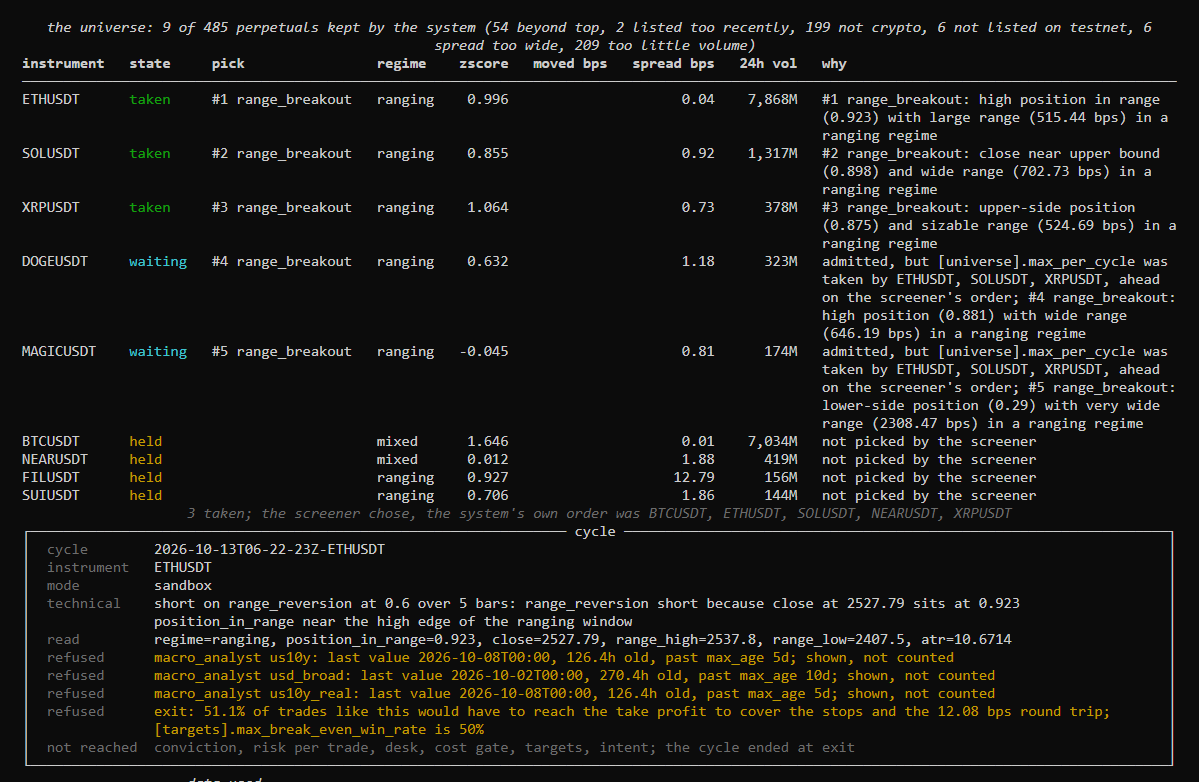
Then the data the cycle used and how old it was, the series the reading analysts read, the stop and take profit it would have placed, and which agents answered. A cycle that goes further adds what each validator argued, how conviction weighed the analysts, the risk at the stop and the targets:
5. Between cycles
The desk says when the next pass is, on the clock and in minutes, for example next pass at 14:30:00 UTC, in 10m 57s, and counts down to it. An auditor woken by an alarm gets a spinner of its own.
The same cycle as plain text
--plain, a pipe or a log gives text instead of panels. This is from a real run on live data, shortened:
cycle 2026-09-29T02-59-16Z BTCUSDT: 5.344s of agents, 15.042s of validators
  funding        ccxt:bybit         age 4.267s
  ohlcv          ccxt:bybit         age 32.746s
  orderbook      ccxt:bybit         age 7.544s
macro      risk-off: the operator declared a bullish state for US10Y; measured correlation is
           neutral (0.0) on a modest sample, weak evidence that does not overturn the declaration
sentiment  positive: declared state is bullish, and the measured figures both support it
technical: long on range_reversion at 0.65 over 5 bars: the close is stretched low in the window
read: zscore=-0.587, vwap_gap_bps=-3.99, ret_1_bps=1.59
validator contra   oppose on 2 cited figure(s)
validator pro      support on 3 cited figure(s)
conviction: 0.800 of 1.0 (macro 1.0, sentiment 0.5, technical 1.300)
risk: 8.29 bps of equity at the stop against the declared 50 bps, size 0.010
cost: 12.87 bps round trip, 2.00 of it estimated
gate: 25.0000 bps claimed clears 12.8723 bps cost plus 0.0000 bps margin
  refused targets: the claimed edge is 1.94x the round trip and the desk declared 2.0x;
                   the cost is certain and the edge is not
That trade was refused. It cleared the cost gate and still died, because this desk asks for an edge of twice the cost and got 1.94 times. A refusal names the figure behind it, every time.
What is kept, and where
| What | Where | Notes |
|---|---|---|
| everything one cycle did | runs/cycles/<id>/ | snapshot, briefs, answers, intent, placed.json, cycle.json, and inputs.json.gz with the raw inputs; cycle.json holds a sha256 of each file |
| the pass over the universe | runs/screens/ | every instrument measured, what the screener chose and why |
| every model call | runs/cycles/usage.jsonl | tokens, latency, price |
| when the desk ran and what stopped it | runs/cycles/scheduler.jsonl | one line per start and stop |
| every position closed, by time, by the venue or by the kill switch | runs/cycles/positions.jsonl | venue mode |
| every finished trade with entry, exit, fees and funding | runs/cycles/round_trips.jsonl | venue mode; what the quant auditor reads |
| the first equity reading of each day | runs/cycles/equity.jsonl | what the daily loss limit is measured from |
| what you typed at the prompt | .tra-history | a convenience only; tra -c keeps none |
tra runs verify checks every cycle's files against their hashes and its briefs against its raw inputs. tra runs prune --keep 90d shows what old cycle directories would be removed.
Watching a desk you are not running
The console runs commands in its own process, so closing it ends what it was running. A desk that should keep running belongs under a supervisor (systemd, a service manager, tmux), and then you look at it from anywhere with:
tra watch --every 5s # a read-only view built from the records the desk writestra watch opens no connection, holds no key and takes no lock, so opening and closing it does nothing to the desk.